
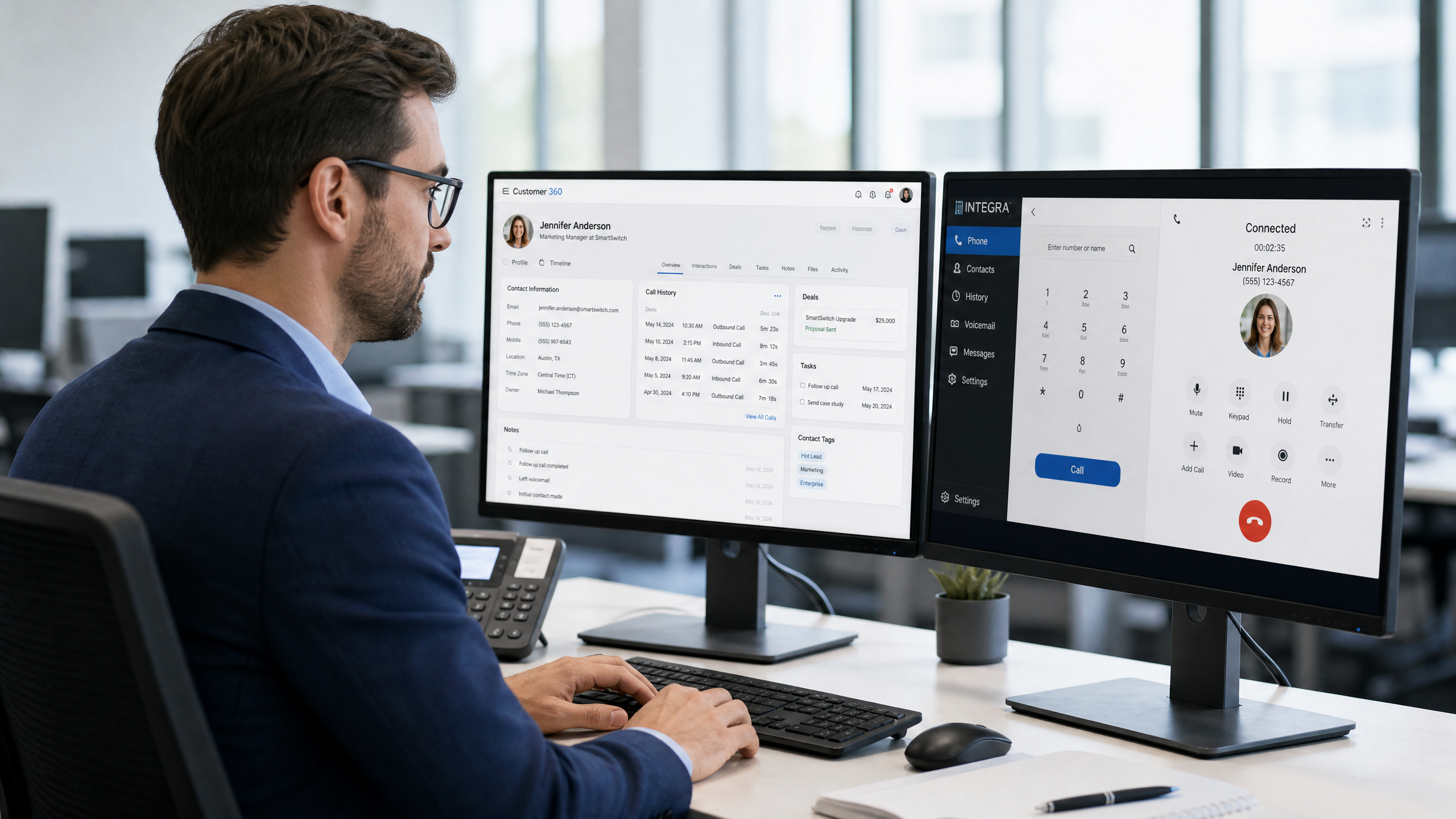
If your sales or support team is still manually typing call notes into your CRM after every conversation, you are losing hours of productive time every week. Worse, you are almost certainly losing data. In the rush of a busy workday, details get forgotten, follow-ups get missed, and leads fall through the cracks.
In 2026, the standard for business communication has shifted. Connecting your VoIP phone system directly to your Customer Relationship Management (CRM) software is no longer an expensive enterprise feature—it is a baseline requirement for small businesses that want to grow.
What Is CRM Phone Integration?
CRM phone integration (often called CTI, or Computer Telephony Integration) is the bridge between your business phone system and your customer database. When these two systems talk to each other, data flows automatically.
Instead of having a phone on your desk and a CRM on your screen acting as two separate islands, they become a single unified tool. Calls can be made with a click, incoming callers are identified instantly, and every interaction is recorded without human intervention.
3 Ways Integration Changes How You Work
1. Automatic Call Logging
The most immediate benefit is the end of manual data entry. When a call ends, the integration automatically creates a log in the CRM under the correct contact. It records the time, duration, and whether it was inbound or outbound. If you use call recording or AI transcription, the audio file and text summary are attached directly to the contact record.
2. Screen Pops (Instant Caller Context)
When the phone rings, a "screen pop" appears on your computer. Before you even say "hello," you can see the caller's name, their company, their recent purchase history, and the notes from their last conversation. This transforms a cold interaction into a personalized experience.
3. Click-to-Dial
For outbound sales teams, dialing numbers manually is a massive time sink. Click-to-dial turns every phone number in your CRM into a clickable link. One click initiates the call through your headset or desk phone, saving seconds on every dial and eliminating misdialed numbers.
Data shows that sales reps who use click-to-dial and automated logging can increase their daily call volume by up to 30%, simply by removing administrative friction.
Integrate Your CRM with Zonitel
Zonitel's modern VoIP platform integrates seamlessly with the tools you already use. Whether you rely on Salesforce, HubSpot, Zoho, or industry-specific software, we make it easy to connect your communications to your customer data.
- Instant screen pops for incoming calls
- Automatic call logging and recording attachments
- Click-to-dial directly from your browser
- Sync contacts between your phone and CRM
Setup takes minutes, not days. No IT degree required.
Learn moreSet it up in Zonitel: Help Center guides
Ready to Stop Manual Data Entry?
Connect your phone system to your CRM and watch your team's productivity soar. Start your free trial with Zonitel today.