
If your customers are already spending hours every day on WhatsApp, shouldn't your business be there too? With over 2 billion active users globally, WhatsApp has evolved from a simple personal messaging app into a powerful tool for customer service and sales.
The WhatsApp Business app is designed specifically for small business owners. It provides a dedicated platform to interact with customers, showcase your products, and automate your communication—all while keeping your personal and business messages separate.
Why Small Businesses Need WhatsApp Business
Using your personal WhatsApp account for business is a mistake. It looks unprofessional, mixes your private life with your work, and lacks the tools needed to scale. The WhatsApp Business app offers several distinct advantages:
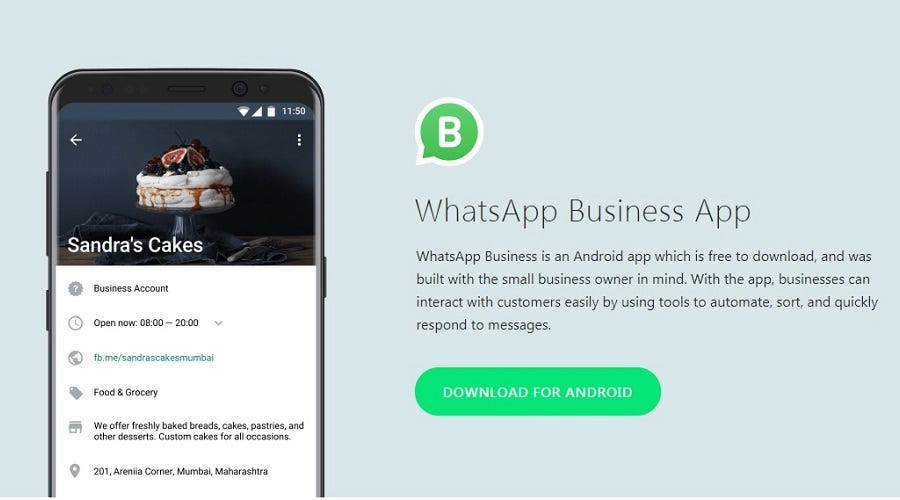
- Professional Business Profile: Display your company name, address, website, and operating hours.
- Product Catalog: Create a mobile storefront where customers can browse your products and prices directly within the chat.
- Automated Messaging: Set up away messages for after-hours and quick replies for frequently asked questions.
- Chat Labels: Organize your conversations with labels like "New Customer," "Pending Payment," or "Order Complete."
How to Set Up WhatsApp Business (Step-by-Step)
Step 1: Download the App
Download the free WhatsApp Business app from the Google Play Store or Apple App Store. Note that this is a separate application from the standard WhatsApp Messenger.
Step 2: Register Your Business Number
You must register a phone number to use WhatsApp Business. Crucially, you cannot use the same number for both your personal WhatsApp and WhatsApp Business at the same time. The best practice is to register your dedicated business phone number (like your Zonitel VoIP number) rather than your personal cell phone.
Step 3: Create Your Business Profile
Fill out your profile completely. Add a high-quality logo as your profile picture, write a clear description of your services, and ensure your business hours and website link are accurate.
Step 4: Set Up Automations
Go to the "Business Tools" menu to configure your messaging automations. Set up a "Greeting Message" that automatically welcomes new customers when they first message you. Then, configure an "Away Message" to let people know when you're closed and when they can expect a reply.
Pro Tip: Use the "Quick Replies" feature to save answers to your most common questions. You can trigger them instantly by typing a forward slash (/) followed by a shortcut word.
Integrating WhatsApp with Your Phone System
While the WhatsApp Business app is great for solo entrepreneurs, it becomes difficult to manage as your team grows. If multiple employees need to answer customer messages, you'll quickly outgrow the standalone app.
This is where an Omnichannel Inbox comes in. Advanced business phone systems allow you to integrate WhatsApp directly into a unified dashboard. This means your team can manage phone calls, SMS texts, Facebook messages, and WhatsApp chats all from one single interface.
Manage All Your Messages in One Place with Zonitel
Stop juggling multiple apps. Zonitel's Omnichannel Inbox brings all your customer conversations—including SMS and WhatsApp—into one unified dashboard for your whole team.
- Connect your Zonitel business number to WhatsApp Business
- Manage SMS, WhatsApp, Facebook, and Instagram DMs in one inbox
- Assign conversations to specific team members
- Maintain a complete history of all customer interactions
Streamline your communication today.
Learn moreReady to Unify Your Business Communications?
Discover how Zonitel helps small businesses manage calls, texts, and social messages effortlessly.